How to add my Business and/or Service Online on QFind
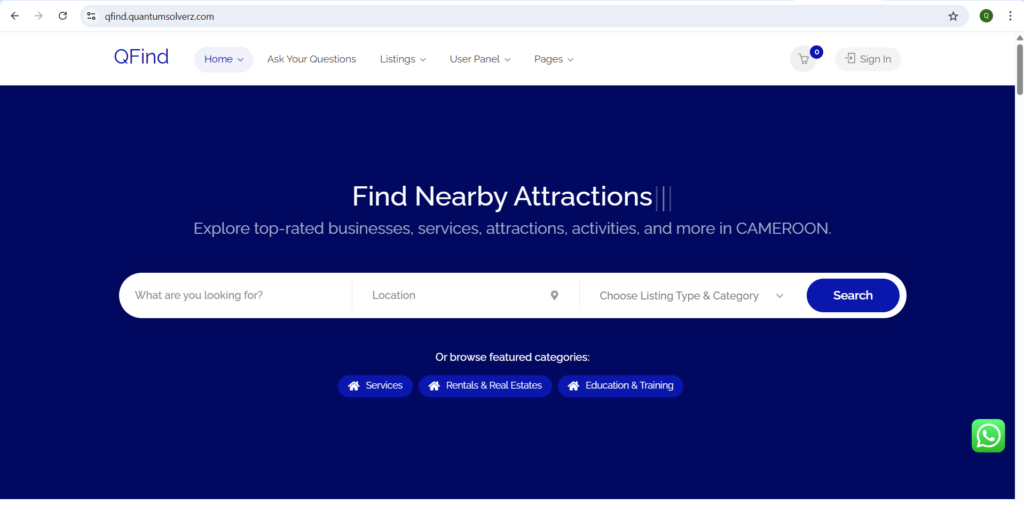
- Visit the website at: qfind.quantumsolverz.com
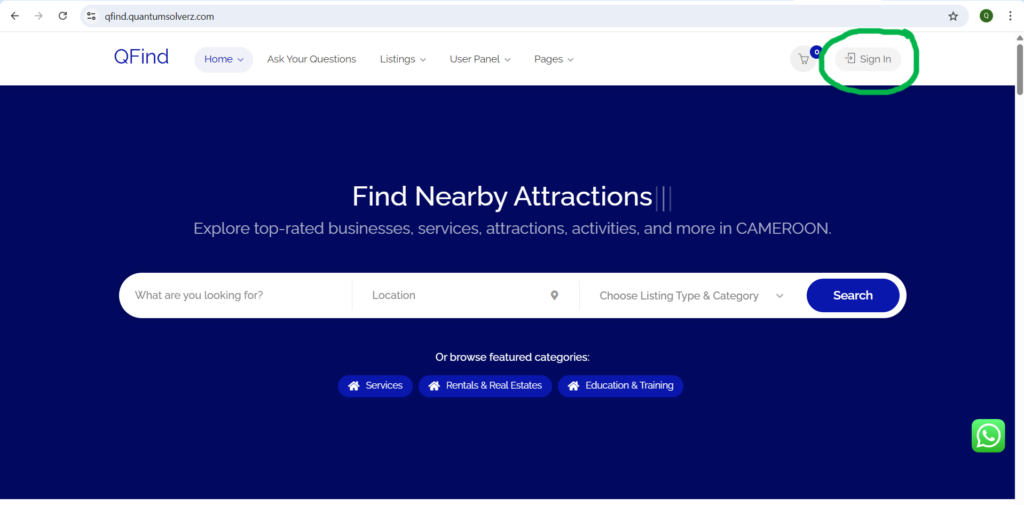
2. Click on Sign In
3. If you already have a user account, fill in your username/email and password and login. If you have never created an account on QFind, go to the next step below and click on Register.
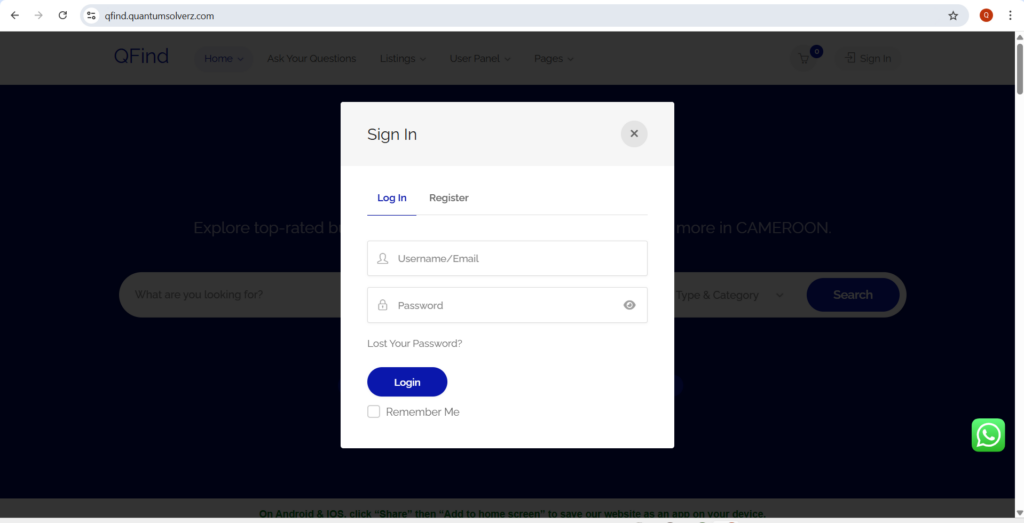
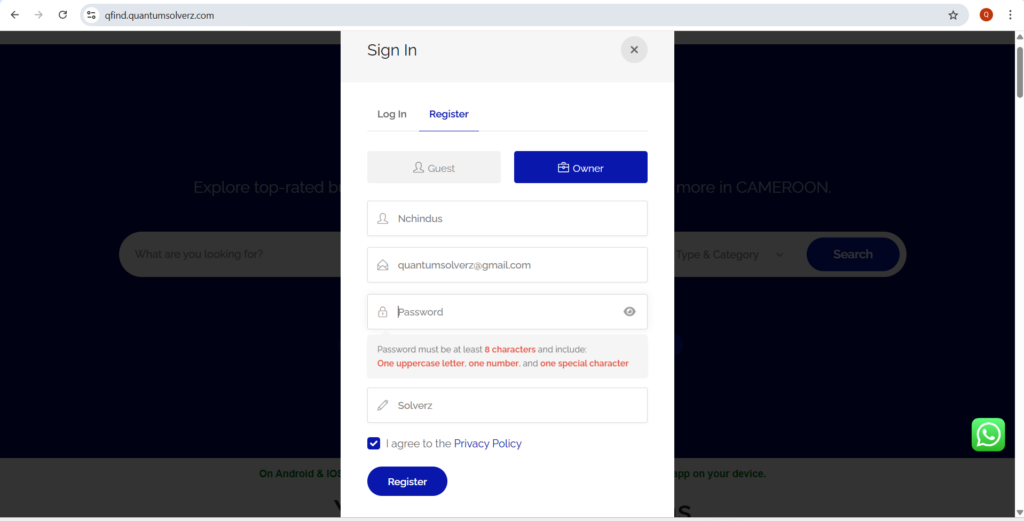
4. If you do not have a user account on QFind, create one by clicking on Register then fill in the form with your required details. Click on Register at the end of the form.
Owner refers to someone (user) with a business or service while Guest refers to someone (user) who is looking for a business or service.
Your Password must be at least 8 characters and include one uppercase letter, one number, and one special character.
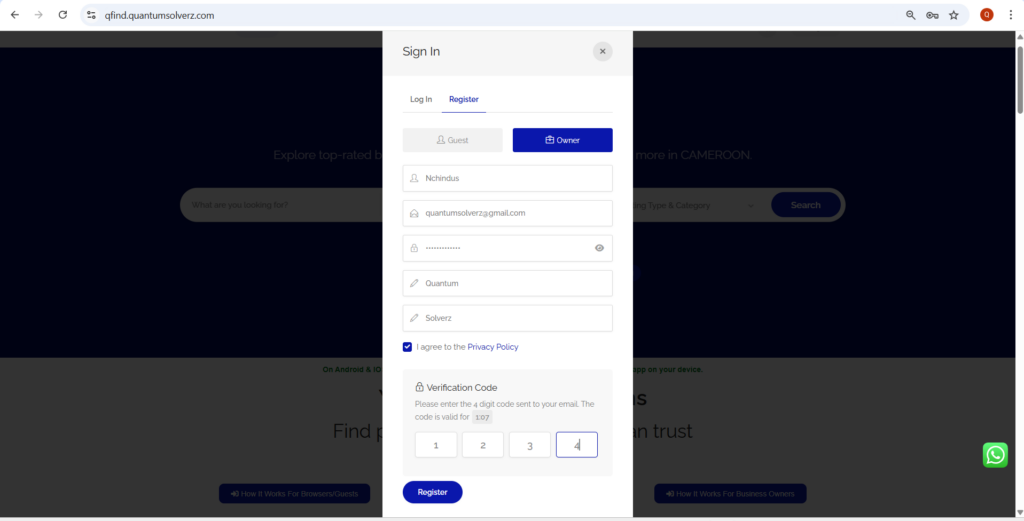
5. A verification code will be sent to your email address. Fill in the code and click Register. You will be logged in automatically.
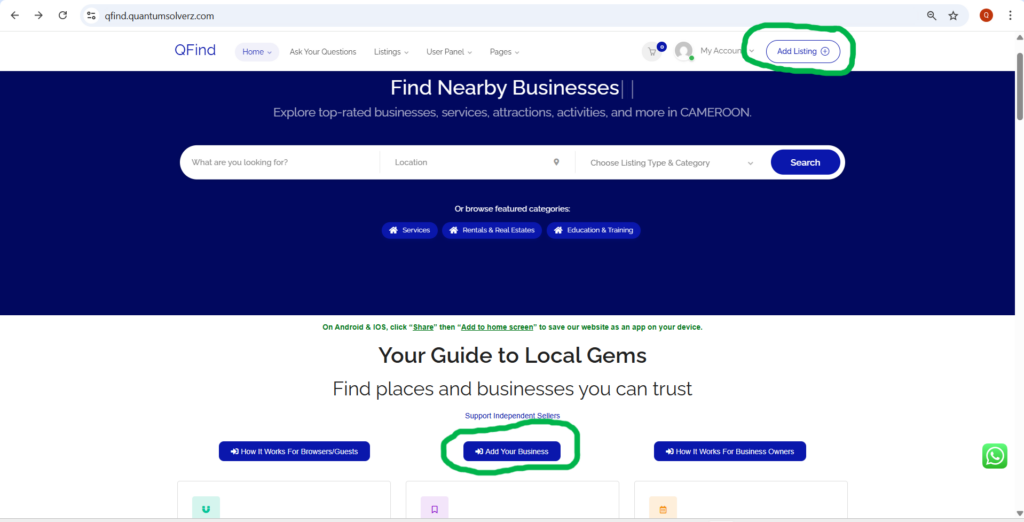
6. Once you are logged in, click on Add Listing or Add Your Business.
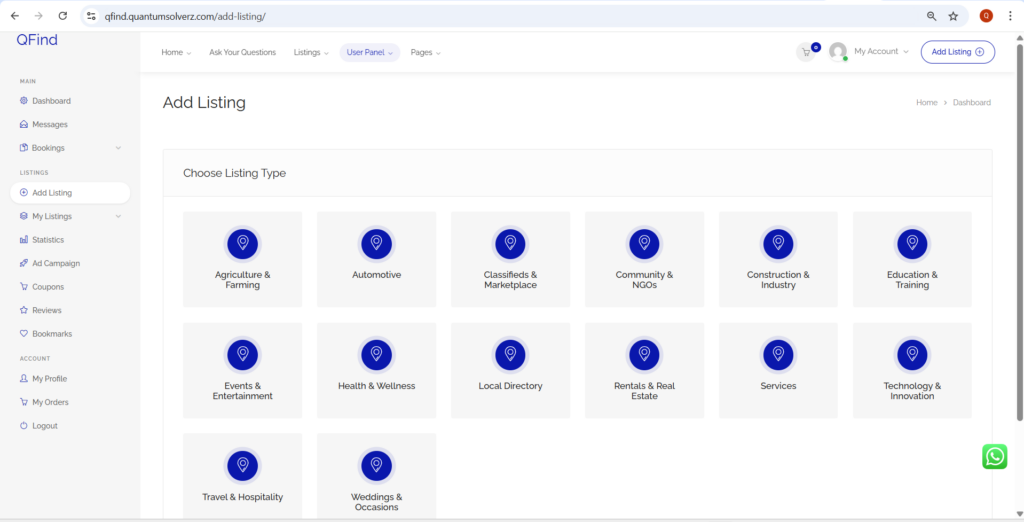
7. Choose Listing Type.
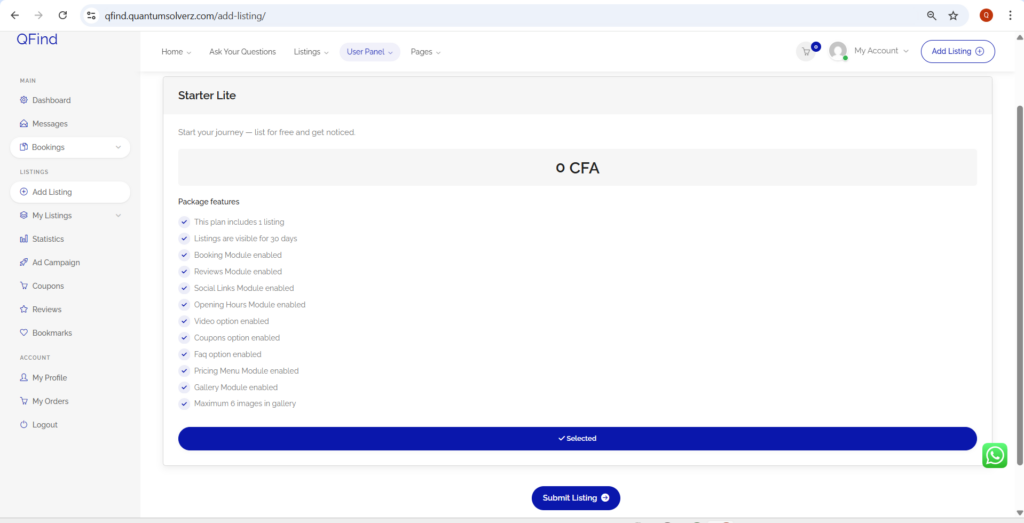
8. Select the Listing Package and then click Submit Listing.
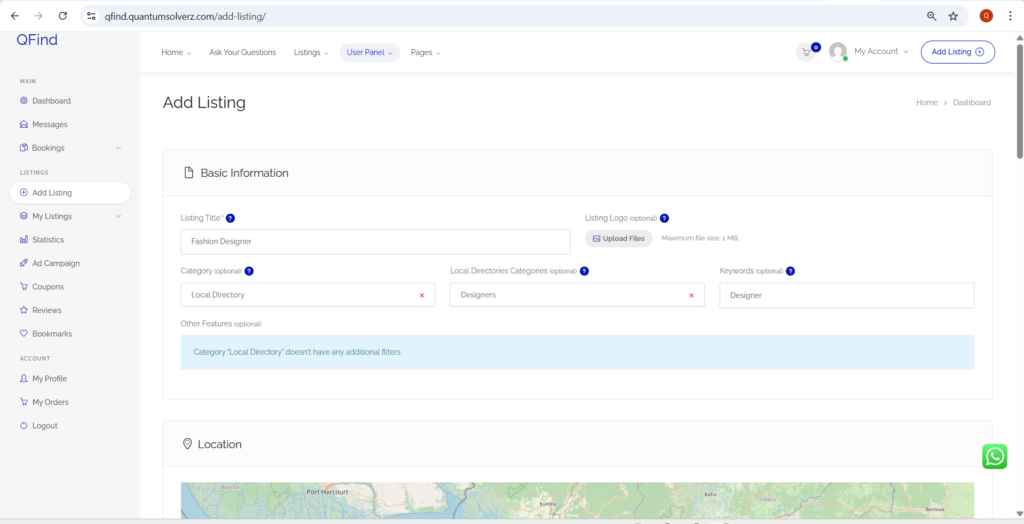
9. Fill in the Details of your listing.
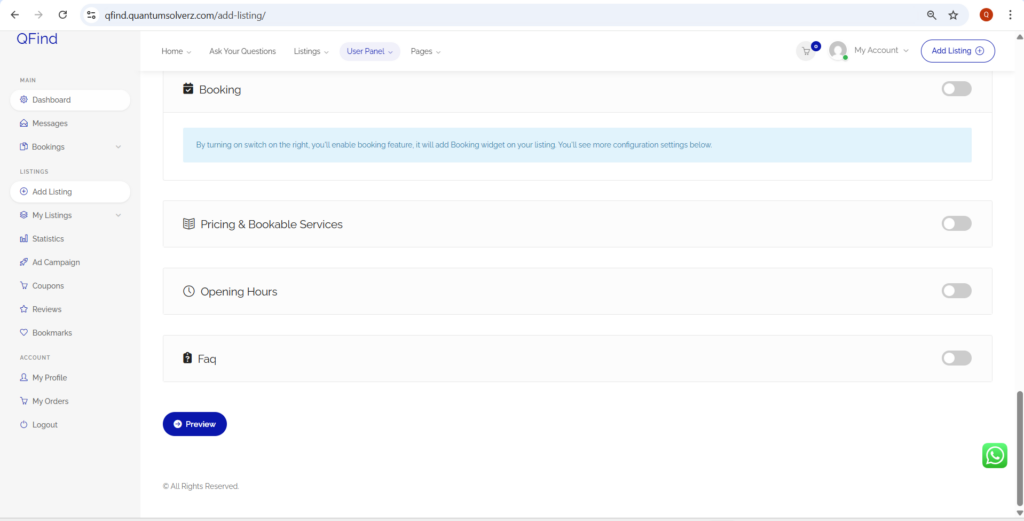
10. Click on Preview to see how your listing will look like.
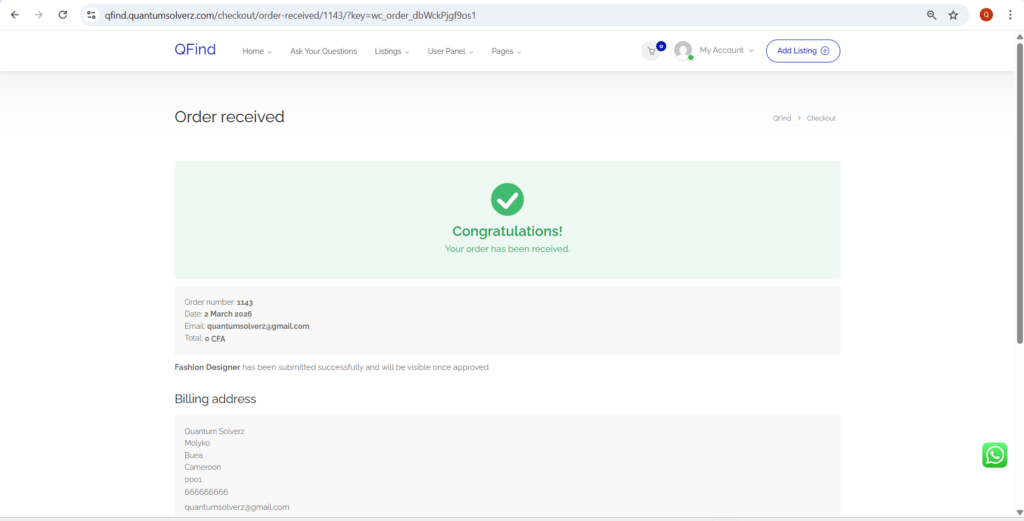
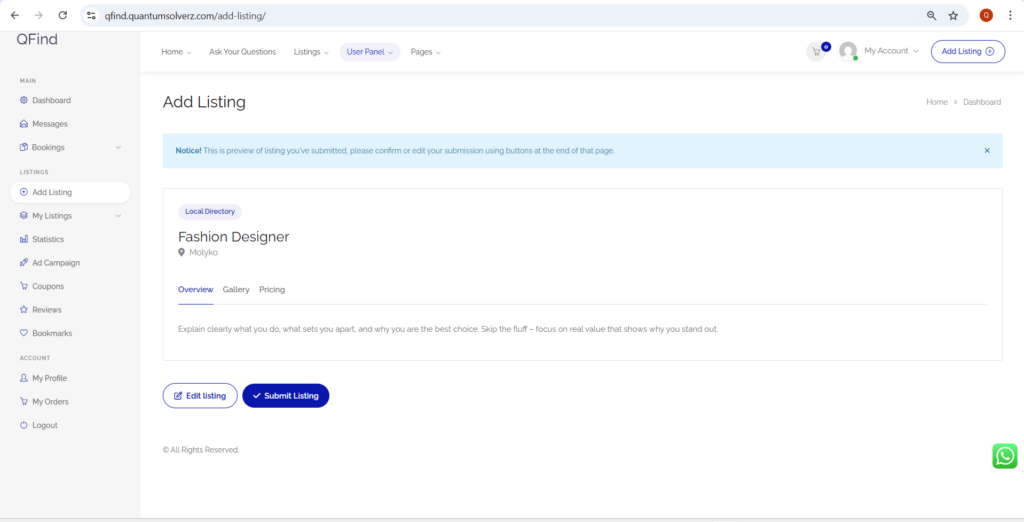
11. Click on Submit Listing.
12. Fill in your address details and click on Place Order.
If you do not have a Postcode/Zip code, use 0001
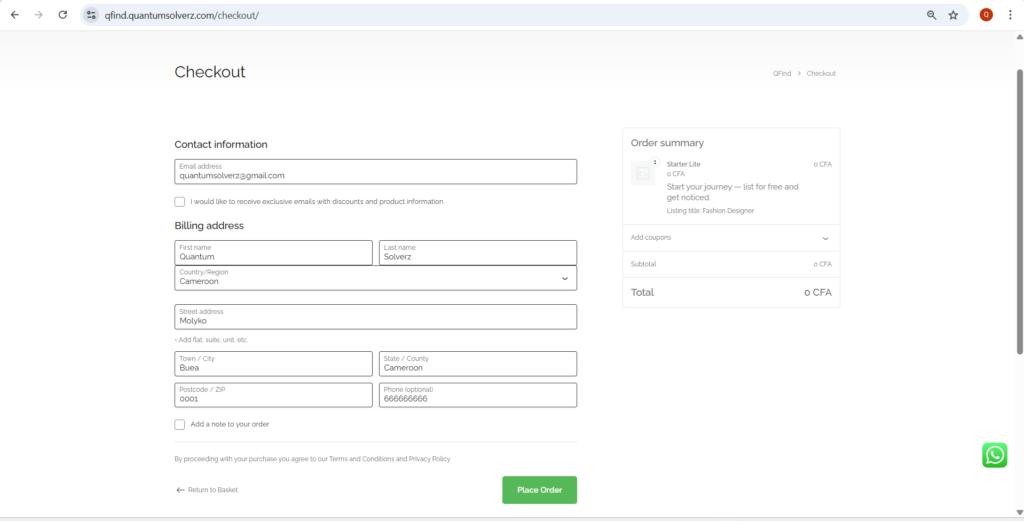
13. Your Listing will be Submitted and will be visible online once approved.